
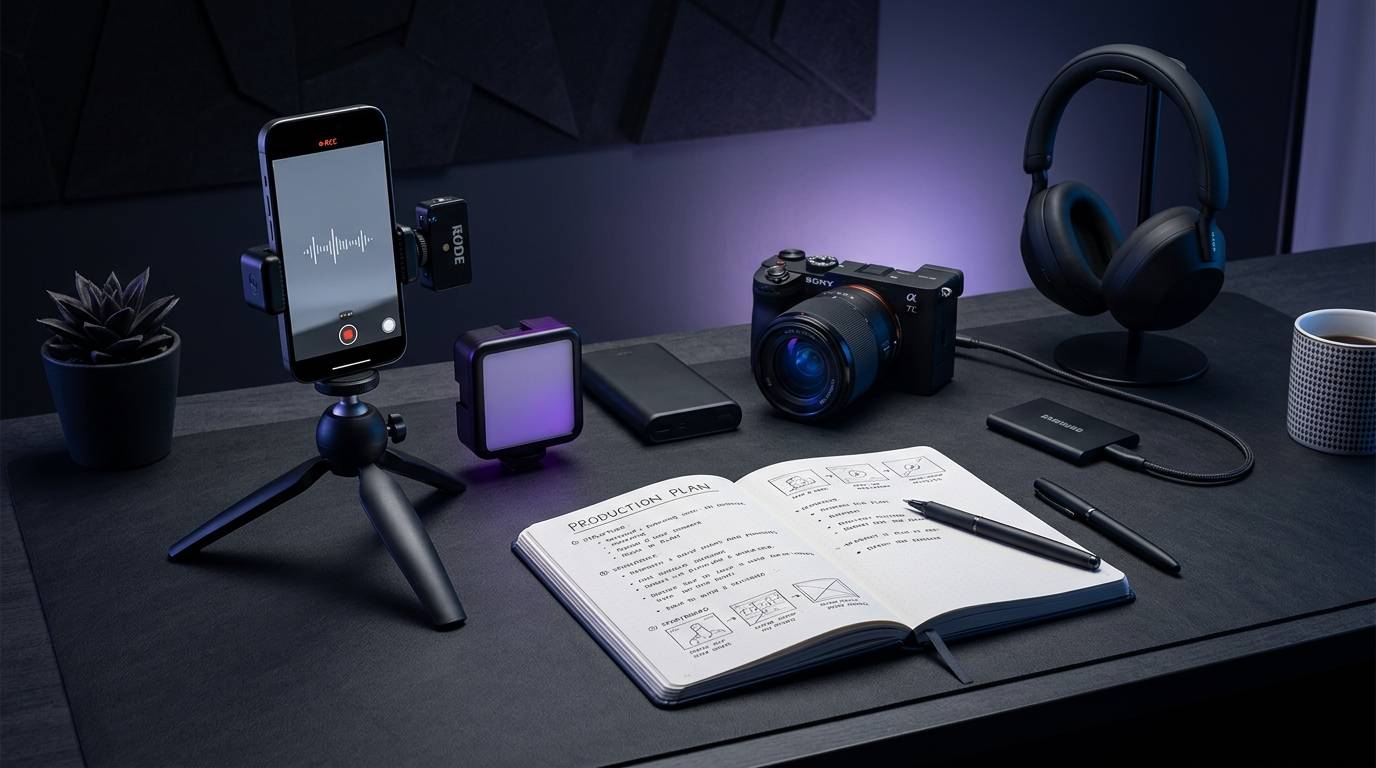
Short-form social video is a structured editorial format designed to deliver a specific visual payoff within a vertical viewing environment. It is not simply a cropped horizontal clip, nor is it an unedited snippet cut from a longer webinar. A professional short-form production system balances repeatable creative frameworks with platform-specific technical requirements. This guide provides an end-to-end operational playbook for planning, scripting, filming, editing, and distributing short-form social video across modern networks.
A reliable short-form video workflow builds audience trust through immediate visual proof and clear structural pacing. By establishing consistent pre-production briefs, interface-safe editing templates, and verified audio workflows, content teams can maintain high creative standards across multiple social destinations.
Key Takeaways
- Plan videos around a strict three-part architecture: a clear opening promise, visible proof, and a definitive payoff.
- Design every visual element for vertical safe zones to prevent platform buttons and captions from obscuring critical details.
- Treat accessibility captions as distinct from foreign-language subtitles, reviewing timing and non-speech audio cues before export.
- Verify commercial music rights separately for every distribution channel rather than assuming cross-platform audio parity.
- Evaluate video performance using platform-specific metric definitions, distinguishing initial starts from genuine engaged watch time.
What is a short-form social video production workflow?
A short-form video production workflow is an operational system that moves a creative concept from an initial brief to a platform-ready vertical asset. Rather than relying on spontaneous recording, structured teams use predictable production stages to ensure visual clarity and narrative pacing. This workflow defines how ideas are screened, how scripts are blocked for the camera, and how assets are formatted for distinct distribution channels.
Social platforms display content in continuous vertical feeds. Viewers scroll quickly, assessing whether a video offers immediate relevance. Because user interfaces overlay buttons, account handles, and caption text directly over the video layer, the composition must account for on-screen obstruction from the very first frame. A professional workflow treats framing, audio legibility, and visual pacing as foundational requirements rather than post-production afterthoughts.
- The Three-Part Narrative Architecture
-
- Promise: State the core question, problem, or observation immediately.
-
- Proof: Show the physical demonstration, comparison, or evidence.
-
- Payoff: Deliver the clear result, method, or conclusion.
To achieve consistency, teams rely on the promise, proof, and payoff framework. The promise introduces the question, challenge, or premise within the opening seconds. The proof provides visible evidence, demonstration, or logical progression. The payoff delivers the outcome, resolution, or core insight that fulfills the initial promise.
This structure prevents a common production error where videos open with vague introductions before getting to the main point. When planning team schedules using a weekly social content planning checklist, identifying the promise, proof, and payoff in advance keeps production efficient. It ensures that every shot captured on set serves a specific narrative function.
- The One-Page Production Brief
- Target Audience: Primary viewer profile and viewing context.
- Core Objective: The singular action, concept, or takeaway.
- Narrative Promise: The opening question or demonstration hook.
- Visual Proof: Planned footage showing the core evidence.
- Payoff: The tangible resolution or conclusion.
- Target Destinations: Platform list with specific safe zones and durations.
- Technical Specs: Frame rate, resolution, aspect ratio, and audio clearance.
A compact one-page brief aligns writers, videographers, and editors before filming begins. The brief documents the target audience, the single core message, the required physical assets, and the target platforms. It prevents scope creep and eliminates ambiguity during the editing phase.
How do you structure a short-form video script for visual clarity?
A short-form video script functions as an edit blueprint rather than a block of spoken prose. Writing for vertical video requires splitting dialogue from visual direction. What the viewer sees must reinforce, rather than duplicate, what the narrator says.
- Dual-Column Scripting Format
- Visual Track (What is seen) Audio Track (What is heard)
- Tight close-up on misaligned part. “This single alignment mistake…”
- Red outline highlights the gap. “…causes early motor failure.”
- Hand adjusts piece into place. “Slide the bracket until it clicks.”
- Clean macro shot of spinning gear. “Now the mechanism runs smoothly.”
When scripts rely entirely on voiceover, the video often feels static. Writing a dual-column script forces the creator to plan specific visual actions for every line of narration. If a sentence has no corresponding visual proof on screen, that section of the script should be revised or removed.
Visual pacing must respect human reading and processing speeds. On-screen text cards, directional arrows, and step indicators should remain visible long enough to be read comfortably. If a viewer must pause the video to read a sentence, the on-screen density is too high. Keep on-screen text limited to concise phrases that emphasize key spoken terms.
Short-form scripts must also avoid exaggerated opening statements that fail to resolve by the end of the video. If an opening claims to show a revolutionary method, the demonstration must clearly show that method in action. Disconnecting the opening promise from the final payoff damages credibility and leads to viewer drop-off in future installments.
What is the step-by-step process for producing social video?
Creating repeatable short-form video requires a disciplined sequence of steps. Moving through defined production stages prevents costly re-shoots and ensures technical compliance across all publishing channels.
- End-to-End Production Sequence
-
- Topic Selection Screen for visual proof and clear scope.
-
- Platform Target Set aspect ratio, max duration, and safe zones.
-
- Script Hook & End Write the opening promise and payoff first.
-
- Shot List Capture Record planned coverage and vertical framing.
-
- Audio Engineering Capture clean voice tracks and check licenses.
-
- Paced Editing Cut unnecessary frames and position text overlays.
-
- Caption Review Align timing, check accuracy, add sound cues.
-
- Platform Exports Render clean masters tailored to each network.
-
- Publish & Track Distribute cleanly and log contextual metrics.
Step 1: Choose a topic with a visible payoff
Select topics that can be demonstrated, compared, or resolved visually within a short timeframe. Abstract concepts work best when paired with concrete physical examples, screen recordings, or clear graphics. If a topic cannot be summarized in a single sentence promise with immediate visual evidence, refine the scope before scripting.
Step 2: Select the target platform before filming
Determine the primary distribution network during pre-production. Platform technical requirements dictate framing, safe zones, and maximum allowable durations. YouTube Shorts supports vertical uploads up to three minutes under specific upload-date guidelines, while other platforms maintain their own interface layouts. Establishing the primary platform early ensures the camera operator frames the shot correctly.
Step 3: Write the hook and payoff before the middle
Draft the opening three seconds and the final resolution before writing the supporting steps. The opening establishes the subject clearly, while the payoff delivers the answer or result. Once the start and finish are locked, write only the minimal transitional steps required to connect them. Cut any background context that does not directly advance the demonstration.
Step 4: Prepare a shot list and capture vertical footage
Organize the shot list by visual priority: opening hook visual, primary action, close-up details, and final result. Capture footage natively in a 9:16 vertical orientation whenever possible. Native vertical capture maximizes sensor resolution on the subject and allows accurate framing on set.
- Essential Production Coverage
- Primary Subject: Medium shot of the speaker or demonstrator.
- Action Detail: Close-up macro shots of the specific process.
- Contextual B-Roll: Wide shot establishing the physical environment.
- Payoff Angle: Clean, unobstructed view of the finished result.
When recording demonstrations, capture dedicated cutaways of hands, tools, or screen interactions. These cutaways allow editors to trim pauses in the main audio track without creating jarring visual jump cuts. Maintain consistent lighting across all angles so transitions look seamless.
Step 5: Capture clean audio and verify music rights
Record dialogue using dedicated lavalier or shotgun microphones placed close to the speaker. Poor audio reduces comprehension far more quickly than minor visual flaws. When incorporating background music, use tracks cleared for commercial distribution on the intended platform. Never assume music licensed inside one app’s internal editor can be exported and published elsewhere.
Step 6: Edit for comprehension rather than raw speed
Import the footage into an editing timeline configured for 1080x1920 resolution. Cut out dead air, false starts, and redundant explanations. Use close-up cutaways to emphasize crucial details and clarify technical steps. Maintain an even rhythm where visual cuts support comprehension rather than creating chaotic distraction.
Step 7: Create and verify accessibility captions
Generate captions and review the text manually against the recorded audio. Verify that technical terminology, proper nouns, and brand names are spelled accurately. Position captions centrally within the frame, ensuring they sit well clear of bottom interface overlays. Include descriptive text for meaningful sound effects or background cues that contribute to understanding the narrative.
Step 8: Generate platform-specific exports
Export a clean master file without burned-in platform interface graphics. Create platform-specific variations by adjusting safe-zone margins, aspect ratios, or on-screen callouts as required. High-resolution exports should avoid compression artifacts, visible watermarks, or third-party platform logos that might restrict distribution eligibility.
Step 9: Publish and monitor contextual performance
Publish the final export alongside a tailored caption and accurate descriptive tags. Organizing these distribution schedules within a centralized social content calendar keeps campaigns synchronized across teams. After release, monitor engagement data based on the specific metric definitions of each platform rather than merging raw numbers into an undifferentiated total.
How do platform specifications differ across social networks?
While short-form video is broadly defined as vertical content, technical specifications and audience behaviors vary considerably between networks. Treating all platforms as identical destinations often leads to obscured visuals, misaligned captions, or limited distribution reach.
- Platform UI Safe Zone Layout
- 0px (Top of 1080x1920 canvas)
- TOP SAFE MARGIN (15%) Avoid: Platform search and status bars
- CENTRAL CONTENT AREA Place: Primary subject, main action
- (Safe for all text) captions, and essential graphics
- BOTTOM SAFE MARGIN (20%) Avoid: Account names, descriptions
- audio tags, and app navigation
- 1920px (Bottom of canvas)
Safe zones and interface overlays
Every vertical video feed overlays interactive interface controls over the video frame. These elements typically include the creator’s profile handle, post description, audio track link, like button, comment button, and share controls. Placing important text or key visual subjects along the bottom fifth or right edge of the video will result in those elements being obscured.
Keep all vital visual information, primary action, and captions within the central 65 percent of the canvas. Leave adequate margins at the top to clear platform search bars and status indicators. Maintaining a unified safe-zone template in your editing software ensures graphics remain visible across all services.
Instagram Reels requirements and guidelines
Instagram creator guidelines emphasize original, high-resolution 9:16 vertical content without borders. Content should establish a strong visual impression within the first three seconds to engage viewers immediately. Videos must be three minutes or less to remain eligible for recommendation across discovery surfaces.
Instagram actively discourages re-uploading content that contains visible watermarks or logos from other platforms. Recommendation guidelines state that identical content may be deprioritized in favor of original uploads. If incorporating third-party material, transform the media meaningfully using original commentary, voiceover, or demonstration.
TikTok technical specifications and commercial audio
TikTok business documentation recommends full-screen vertical video with a 9:16 aspect ratio and a minimum resolution of 720p. Sound is a core component of the platform experience, and clear audio mixing is strongly advised. Keep visual subjects framed safely away from the right-hand interaction panel and the bottom caption field.
For business accounts and commercial messaging, TikTok requires music sourced from its Commercial Music Library. This catalog contains over one million pre-cleared tracks intended for commercial use on the platform. Using unapproved commercial tracks can lead to audio muting or regional content blocking.
YouTube Shorts technical parameters
YouTube Shorts supports vertical or square video uploads with a maximum resolution of 1080p. The platform accommodates Shorts up to three minutes in duration, subject to specific upload-date categorization rules. Long-form creators can use Shorts to point viewers toward comprehensive deep dives while delivering standalone value in the short clip itself.
- Shorts Duration and Audio Rules
- Duration Category Audio and Rights Considerations
- Under 60 Seconds Broad audio library support; standard Shorts workflow.
- 61 to 180 Seconds Extended duration; active Content ID claims can cause
- global blocking. Verify all audio clearances.
Creators utilizing longer Shorts formats must exercise caution with audio licensing. Shorts between one and three minutes that receive an active Content ID claim can be blocked globally. When publishing longer vertical videos, ensure all background tracks and sound effects are fully owned or explicitly licensed for extended commercial use.
What caption and accessibility standards should teams follow?
Captions serve two distinct operational purposes in short-form video: linguistic comprehension and digital accessibility. Many users watch social feeds with sound muted during commutes or in public spaces. More importantly, accurate captions provide access for individuals who are deaf or hard of hearing.
- Accessibility Captions vs. Translated Subtitles
- Feature Accessibility Captions Translated Subtitles
- Primary Purpose Full audio accessibility Language translation
- Spoken Dialogue Verbatim text Translated text
- Speaker Attribution Included when unclear Rarely included
- Music
- Regulatory Basis Universal access (W3C) Internationalization
The World Wide Web Consortium (W3C) explicitly differentiates between accessibility captions and translated subtitles. Subtitles translate spoken dialogue into another language for viewers who understand the spoken track. Accessibility captions preserve the full auditory experience within the original language, including speaker identification and critical non-speech audio cues.
When a sound effect, musical change, or environmental noise contributes to the narrative meaning, document it clearly in the caption track. For instance, annotating a physical click during a product assembly video confirms that a component has locked into place. This detail aids comprehension for viewers watching without sound and ensures compliance with foundational accessibility standards.
The Australian Government Style Manual provides useful benchmarks for on-screen text legibility. Video captions should be restricted to a maximum of two lines at any time, with each line containing no more than 42 characters. This constraint prevents text from dominating the video canvas and ensures viewers can read the lines within normal eye-tracking intervals.
- Caption Formatting Guidelines
- Line Length: Maximum 42 characters per line.
- Text Density: Maximum 2 lines visible simultaneously.
- Contrast: High-contrast text with solid background or drop shadow.
- Timing: Synchronized precisely with spoken word delivery.
- Position: Centered horizontally, clear of bottom interface controls.
Automated speech recognition software provides a helpful starting point, but it requires human editorial review before release. Automated tools routinely misinterpret industry jargon, homophones, and proper nouns. Check caption timing after completing final video cuts, as minor timeline adjustments can cause text tracks to slip out of synchronization.
What audio licensing rules apply to commercial social publishing?
Audio rights management is one of the most misunderstood areas of social video production. The availability of a popular song within a consumer social app does not mean a commercial brand or business has the legal right to use it. Licensing agreements negotiated by platforms frequently apply only to personal, non-commercial content.
Commercial entities promoting products, services, or organizational brands must use royalty-free, owned, or commercially licensed audio. TikTok provides its Commercial Music Library specifically to offer pre-cleared tracks for commercial accounts. While this catalog offers over one million songs, those licenses apply strictly to content hosted directly on TikTok.
- Audio Rights Verification Checklist
- Commercial Clearance: Is the track cleared for brand promotional use?
- Multi-Platform Parity: Does the license grant distribution rights on all channels?
- Duration Restrictions: Does the license apply to videos longer than 60 seconds?
- Export Rights: Can the audio be included in an exported master file?
- Content ID Clearance: Is the track whitelisted to prevent automated copyright claims?
A common compliance pitfall occurs when teams export a video edited inside one platform’s creative suite and publish it directly to another network. Music licensed through an in-app tool rarely includes cross-platform distribution rights. Publishing that file to external networks risks copyright strikes, audio muting, or account penalties.
To avoid licensing conflicts across channels, maintain an internal library of original or broadly licensed production music. Clear all musical assets for multi-platform commercial distribution prior to post-production. This practice allows marketing teams to publish campaigns across multiple destinations without revising audio tracks for each network.
What are the most common short-form production pitfalls?
Even experienced video teams encounter production friction when scaling up short-form output. Recognizing common operational errors helps preserve quality and prevents avoidable publishing delays.
- Common Pitfalls and Solutions
- Pitfall Operational Solution
- Rigid Duration Limits Let the visual proof dictate the length.
- Landscape-to-Vertical Crop Frame and shoot natively in 9:16.
- Unchecked Auto-Captions Manually proofread terminology and timing.
- Edge-to-Edge Graphics Apply safe-zone templates during editing.
- Unverified Metrics Evaluate data using native platform definitions.
- Direct Cross-Posting Export clean masters tailored per platform.
Treating arbitrary duration as a rigid rule
Creators often obsess over finding a single optimal video duration. Academic literature and industry benchmarks demonstrate that engagement varies widely based on topic complexity and format. A 2025 conference paper on video length and engagement identified an inverted-U relationship with an estimated optimum of 34.69 seconds within its specific research sample.
Industry roundups summarizing reports from video hosting and analytics platforms show that shorter videos often achieve higher engagement rates, while longer formats generate greater total watch time. A report by Wistia noted that while videos under one minute averaged 16 seconds of watch time, three-to-five-minute how-to videos sustained strong engagement. Duration should serve the clarity of the demonstration rather than an arbitrary target.
Cropping landscape masters without adjusting composition
Filming a single horizontal 16:9 master and applying a center crop for vertical feeds frequently fails. Center crops cut off peripheral action, crowd headroom, and position critical details beneath platform buttons. When a shoot requires both horizontal and vertical deliverables, plan camera coverage to capture dedicated vertical angles independently.
Overlooking safe-zone boundaries during editing
Placing titles, logos, or captions along the outer margins of the frame makes them unreadable when platform user interface elements appear. Always apply an interface overlay guide to the editing timeline. Review the final cut on a mobile device to verify that interactive buttons do not cover key visual information.
Relying entirely on uncorrected automated captions
Automated transcription tools make predictable errors with technical terminology, speaker identification, and punctuation. Releasing video with uncorrected subtitles conveys a lack of operational rigor and creates confusion around specialized processes. Designate a mandatory review step to verify caption accuracy against the script before rendering exports.
Re-uploading watermarked files across networks
Downloading a published video from one platform and uploading that exact file to a competing network harms reach. Platform algorithms actively identify third-party UI watermarks and low-bitrate re-encodes, often reducing their visibility in discovery feeds. Always archive clean, uncompressed master renders and generate fresh, native exports for each publishing destination.
How should teams measure short-form video performance accurately?
Evaluating short-form video requires a nuanced understanding of how individual social platforms define viewing metrics. Comparing raw view counts across different networks produces misleading conclusions because each provider measures engagement differently. Teams focused on reading social analytics with proper context separate surface metrics from meaningful retention signals.
- Metric Variations Across Networks
- Platform Metric Name Measurement Criteria
- YouTube Shorts View (Current) Counted upon video start or replay.
- YouTube Shorts Engaged View Viewer chose to continue watching.
- YouTube Shorts Viewed vs. Swiped Ratio of initial views to swipe-aways.
- TikTok Video View Counted immediately upon start.
- Instagram Reels Play Counted when video begins playing.
YouTube updated its Shorts view-counting methodology on March 31, 2025. Under the updated framework, a view is recorded whenever a Short starts to play or replay, without requiring a minimum watch duration. To preserve deeper behavioral tracking, YouTube maintained engaged views as a separate metric to identify viewers who watched past the initial opening.
Comparing historical Shorts view counts from before March 31, 2025, with data gathered after that date will distort long-term trend lines. Analysts must segment historical datasets or rely on engaged views to conduct fair performance comparisons over extended timelines.
YouTube also provides a viewed-versus-swiped-away metric within its Shorts analytics. This percentage reveals the proportion of users who stayed to watch versus those who scrolled past immediately. A low viewed percentage points to an ineffective visual hook, while a high viewed percentage coupled with low average watch time indicates that the middle development failed to sustain interest.
- Diagnostic Framework for Video Iteration
- Diagnostic Signal Root Cause Actionable Fix
- Low Viewed % / High Swiped % Weak visual hook Re-cut opening; show proof early.
- High Viewed % / Low Watch Time Slow pacing or filler Trim middle; remove pauses.
- High Watch Time / Low Engagement Unclear next step Clarify payoff and takeaway.
Review performance data contextually to guide future production cycles. If viewers consistently swipe away during the first two seconds, adjust the opening promise to deliver visual clarity faster. If retention drops midway through the video, tighten the visual edit, add informative B-roll cutaways, or remove unnecessary transitional steps.
Frequently asked questions about short-form video production
How can teams manage video workflows when publishing across multiple social accounts?
Managing multiple brand channels requires an organized production pipeline that maintains clean asset libraries and consistent publishing parameters. When publishing across multiple social accounts, teams should keep master video files, subtitle tracks, and approved copy organized in a single shared repository. This structure ensures that each brand property receives properly formatted assets without accidental cross-posting of watermarked files.
What causes a video permitted on a platform to be excluded from recommendation feeds?
Social networks maintain distinct rules for baseline content acceptability versus recommendation eligibility. Instagram, for example, permits certain sensitive, political, or low-quality content on the platform while excluding it from discovery surfaces like the Reels tab or Explore page. Content that includes low-resolution footage, visible watermarks from third-party apps, or excessive engagement bait may remain visible to existing followers while being restricted from reaching new audiences.
How does treating a publishing calendar as a creative tool improve production quality?
Rushing video production to meet last-minute publishing deadlines often leads to poor framing, uncorrected captions, and licensing mistakes. By treating a publishing calendar as a creative tool, content teams gain the visibility required to batch-produce footage, conduct thorough accessibility reviews, and clear music licenses well before launch dates. Structured schedules turn video creation into a calm, predictable operational process.
What should you check if a three-minute YouTube Short receives zero reach?
If an extended Short receives no distribution, check for Content ID claims and aspect ratio compliance. YouTube Shorts between one and three minutes that contain copyrighted audio tracks with active Content ID claims can be blocked globally. Additionally, verify that the file was exported in a vertical 9:16 or square 1:1 aspect ratio, as horizontal 16:9 files default to the standard video player rather than the Shorts shelf.
Sources
- Understand three-minute YouTube Shorts
- Get started creating YouTube Shorts
- (PDF) HARNESSING SHORT-FORM VIDEO MARKETING: A REVIEW OF …
- Utilization of Short Form Videos (TikTok, Reels, …
- THE IMPACT OF SHORT-FORM VIDEO CONTENT ON …
- FAQ: Longer Shorts - YouTube Community
- 45 Video Marketing Statistics for 2025 (New Data)
- Requirements and standards for video and audio - Style Manual


